Prompts: what AI answers to each question
How to read the Prompts dashboard: each prompt's visibility, position and sentiment, the answers engines gave day by day, and who gets named instead of you.
Updated
On this page
The Prompts dashboard answers the question behind every other number: on this exact question, does AI name you, and if not, what does it say instead? It lists every tracked prompt, and each one opens to the answers themselves.
The prompts table
Each row is a tracked prompt with its numbers for the period: Visibility (with its change and a daily line), Position and Sentiment. The table starts with the most visible prompts; sort by any column. See Overview: visibility, position and sentiment for what the numbers mean.
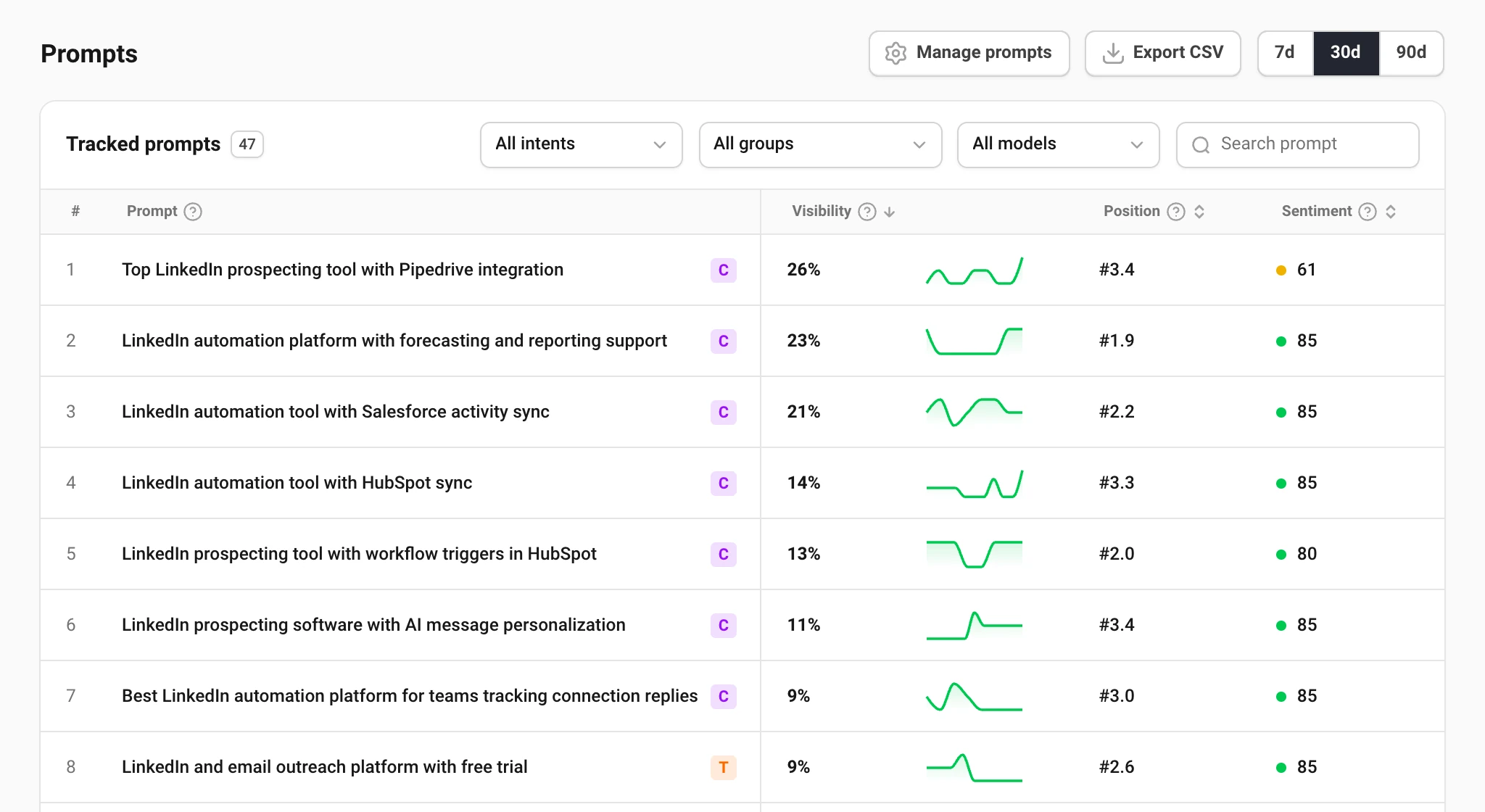
The letter at the end of a prompt is its intent. It says what kind of work wins it: a commercial shortlist ("best X for Y") is won on listicles and review sites, an informational question on your own pages.
Filter by intent, group and model, or search the text. Manage prompts opens the prompts settings to add or change prompts.
Open a prompt
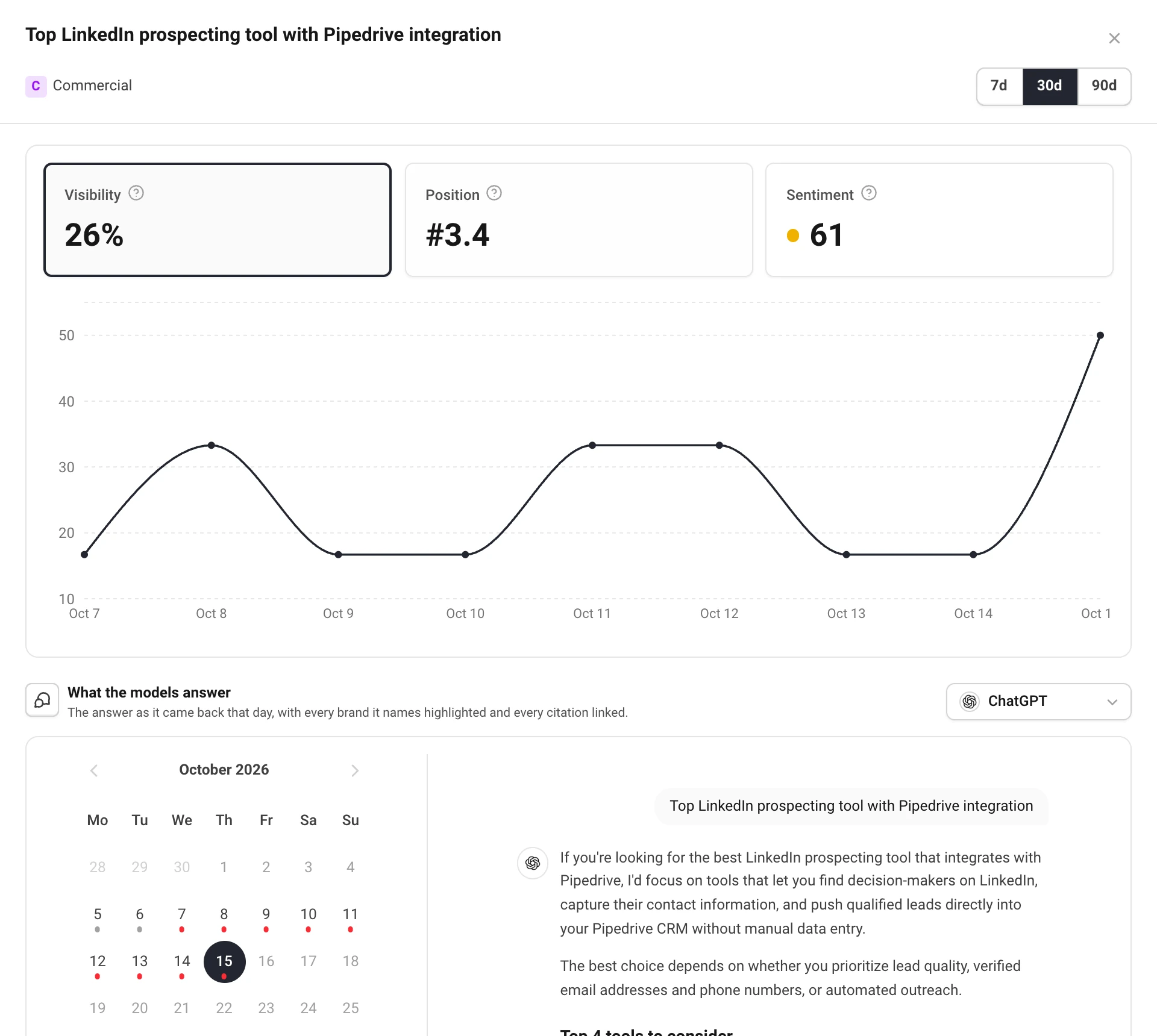
Choose a row to open the prompt. At the top are the same three tiles and the chart as on the Overview, for this prompt alone. The period switch here changes the table behind it too.
Read the answers
What the models answer shows the answer as it came back on a day. Pick the engine at the right, and the day in the calendar:
- A green dot: the answer named you.
- A red dot: there was an answer, and you were not in it.
- A grey dot: no run that day. It is a gap in the record, not a bad day, and cannot be opened.
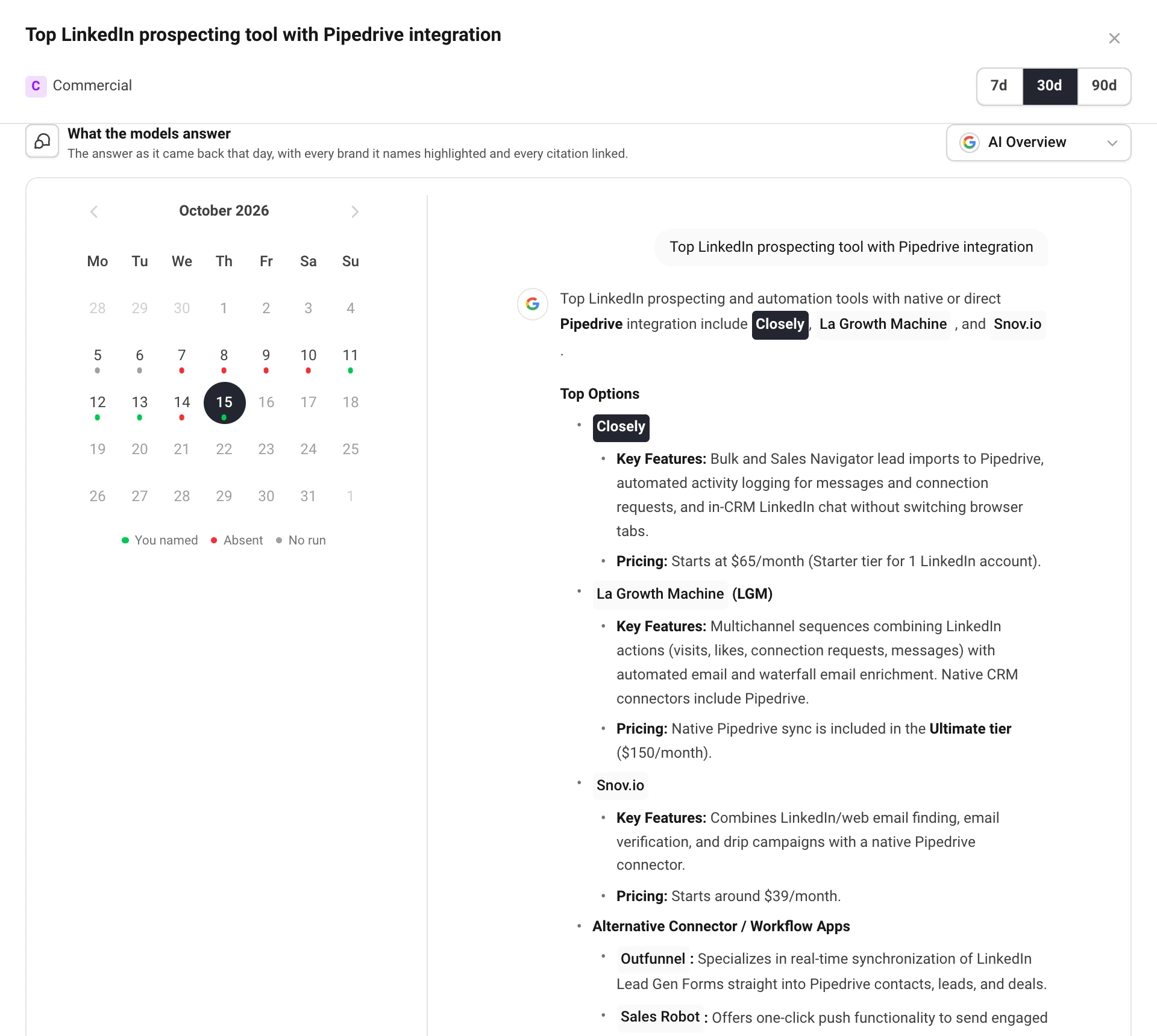
The answer is shown as a chat, with headings, lists and tables as the engine wrote them. Your brand is highlighted, and hovering it shows whether the mention was positive, neutral or negative. Other brands are marked too. Citation numbers link to the pages, and the sources chip under the answer opens the full list, with your own pages marked.
A month of dots answers what one answer cannot: did you drop out today, or have you been missing for weeks?
Who gets named instead
At the bottom, Who gets named on this prompt lists every brand the answers named over the period, tracked or not, with the share of answers that named it and the gap to you in points. You are always on the list, even at 0%.
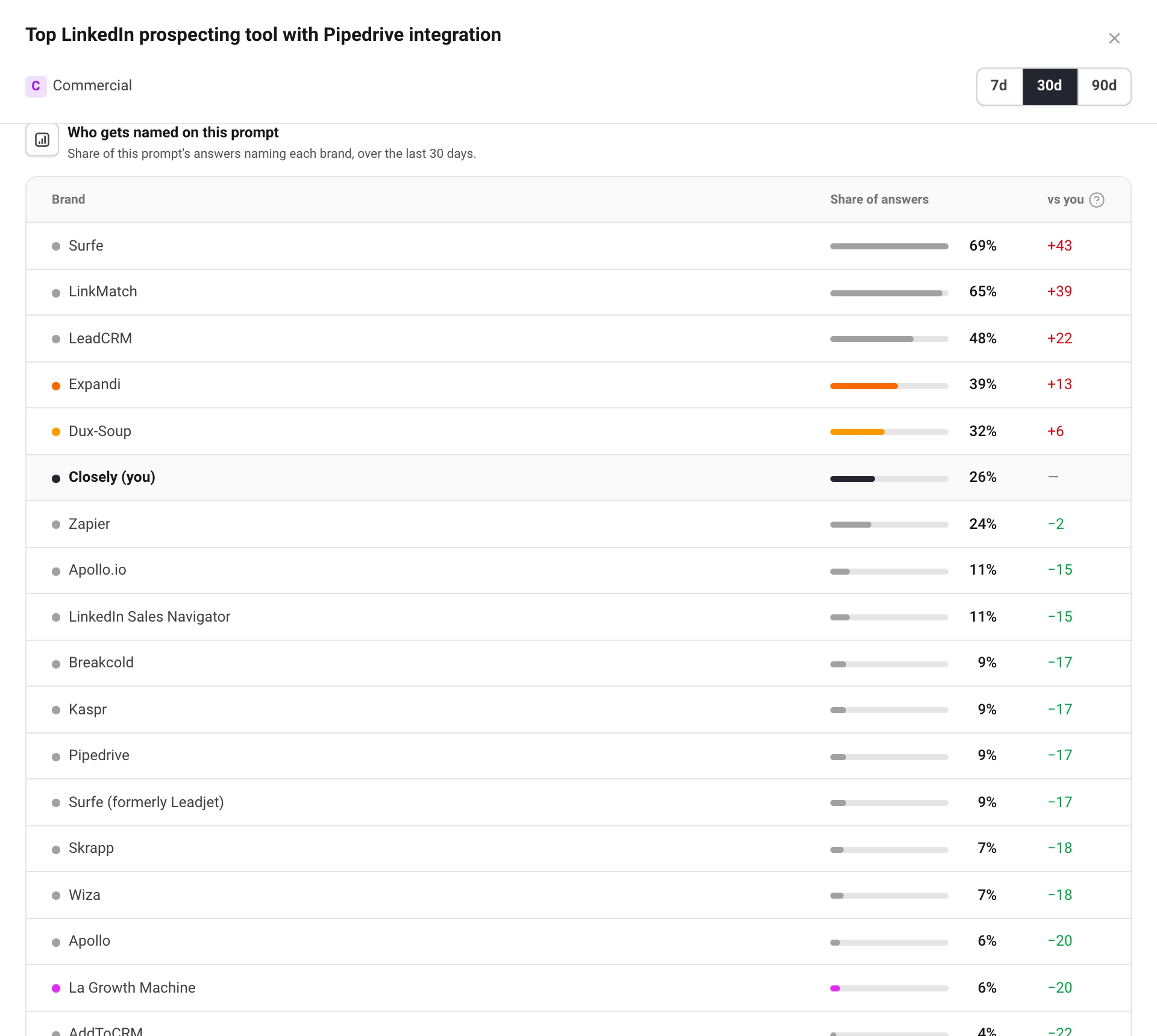
Brands you do not track yet are worth a look: if one keeps appearing, add it on the project's Competitors tab. See Competitors and brand spellings.
Still have a question?
Write to hello@askwatch.ai. A person answers.