Sources: the pages AI cites
How to read the Sources dashboard: which pages and sites AI cites when it answers your prompts, what kind of sites they are, and which prompts each page feeds.
Updated
On this page
AI engines build their answers from pages they read, and most of them show which. The Sources dashboard collects every page cited in the answers to your prompts, yours and everyone else's. It is the list of places where being mentioned would change what AI says.
Pages
The Pages tab lists every cited page with its type and how many times answers cited it over the period, most cited first.
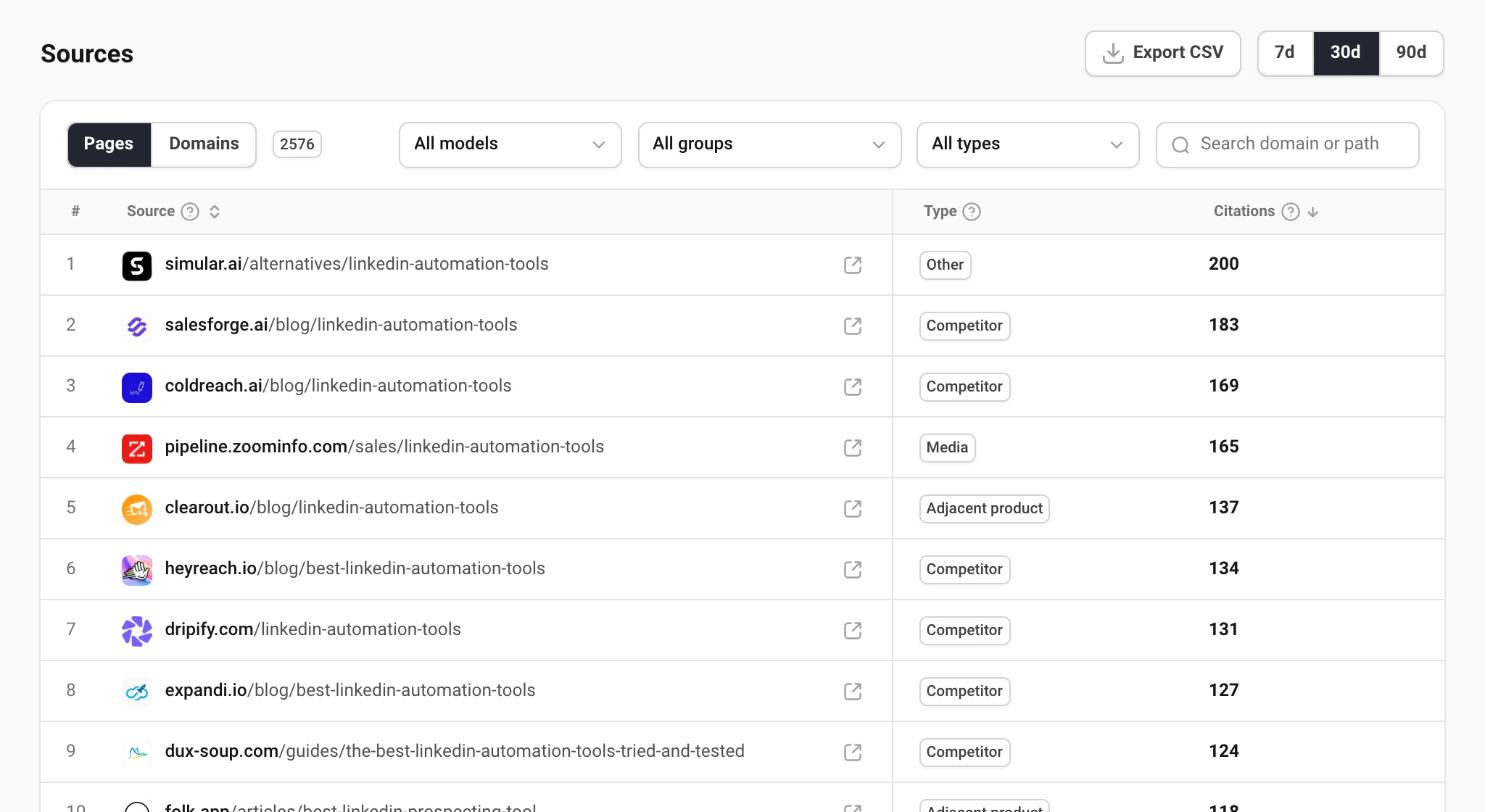
The type says what you can do about a page:
| Type | What it is | What you can do |
|---|---|---|
| Own | Your own site. | Keep these pages current: AI already reads them. |
| Competitor | A competitor's site. | Read what they say about the question; you cannot get onto it. |
| Adjacent product | A product next to yours, not a rival. | Partnerships, integration pages, guest posts. |
| Review platform | Review and comparison sites. | Get listed and reviewed. |
| UGC | Forums, communities, social posts. | Take part in the threads AI reads. |
| Media | Publications and news sites. | Pitch a story or an expert quote. |
| Video | Video platforms. | Publish or get featured in videos on the topic. |
| Other | Everything else. | Judge each page on its own. |
Domains
The Domains tab adds pages up by site: citations, how many of its pages were cited, how many of your prompts it feeds and its share of all citations. Subdomains count as one site, so help.example.com and example.com are one row.
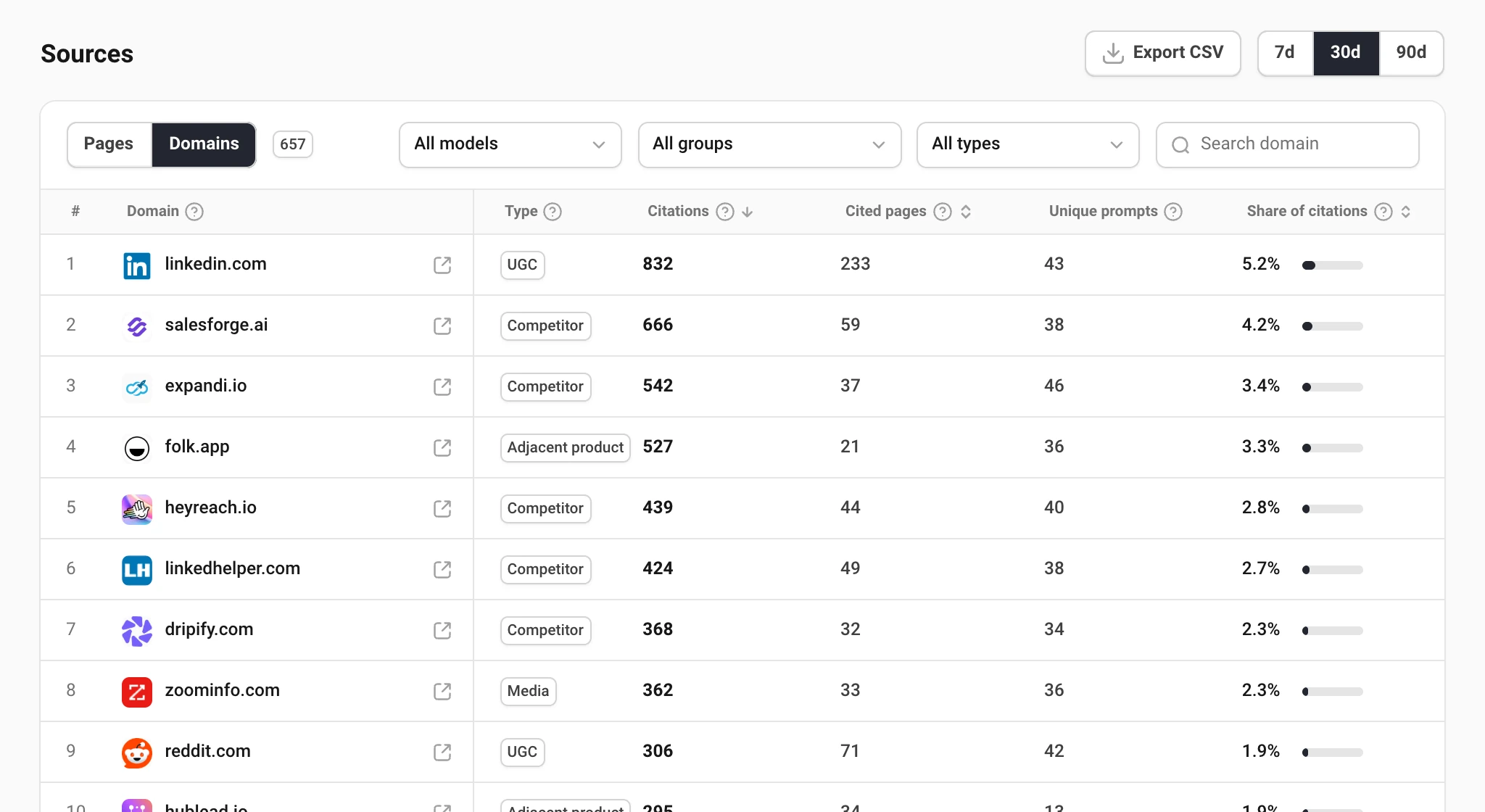
Choose a domain to switch to Pages filtered to it. A site that feeds many prompts through many pages is a channel; one page carrying a site is a single article worth getting into.
Which prompts a page feeds
Choose a page to open it: its citations in the period, how many prompts cite it, and in how many of those answers you are named. The list below shows every prompt and engine whose answer cited the page, and whether you made it into the answer.
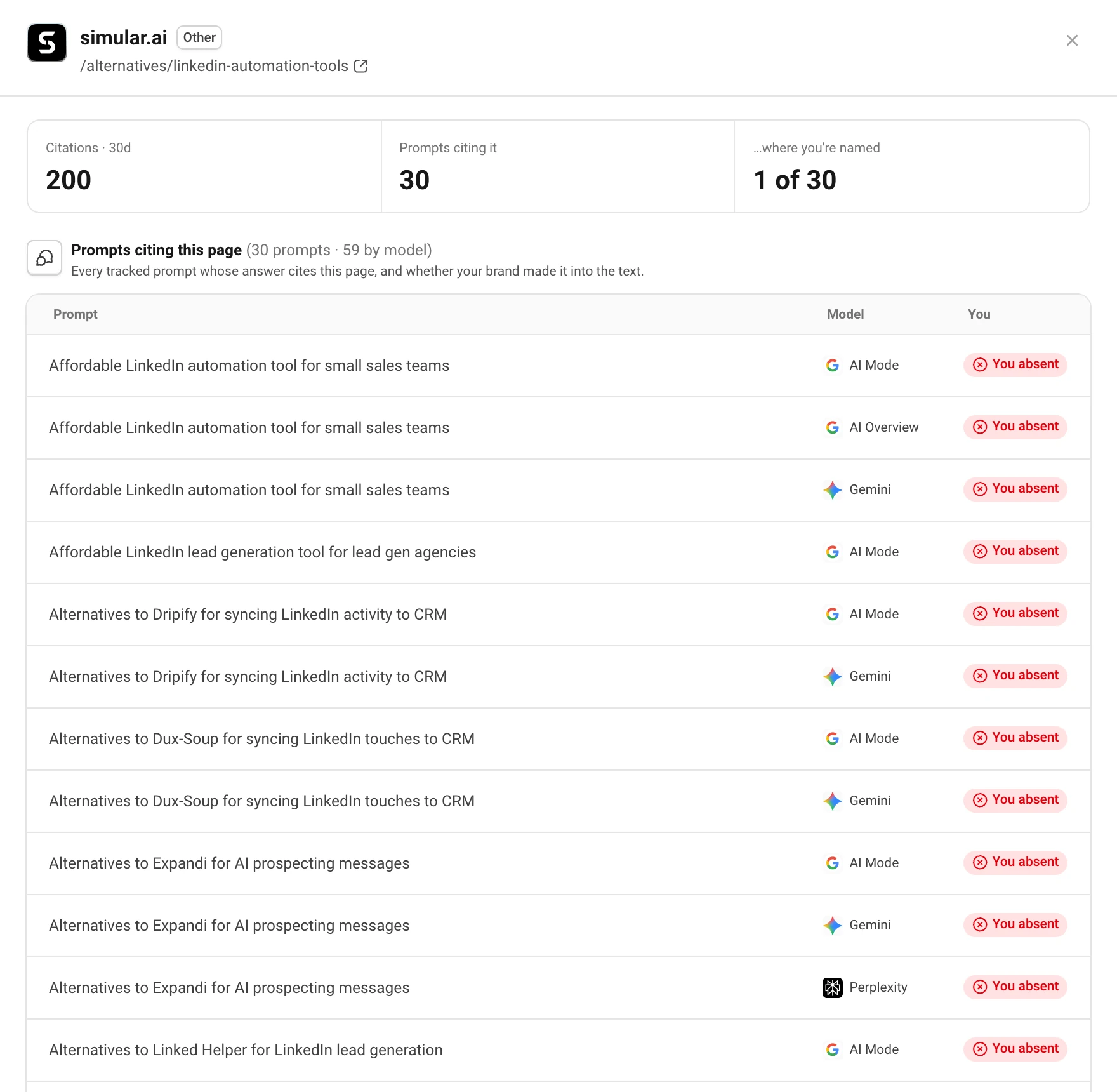
A page cited on many of your prompts with You absent on most of them is the clearest target: get your product onto that page, and every answer that reads it can name you.
Still have a question?
Write to hello@askwatch.ai. A person answers.