

Free Copilot Visibility Tracker
See if Microsoft Copilot mentions your brand and cites your site.
- Free, no credit card.
- Report in minutes, link sent to your email.
What is Copilot SEO?
Copilot SEO is getting your brand named, and your pages cited, when people ask Microsoft Copilot what to use or buy.
Copilot sits in the Windows taskbar, in the Edge sidebar, on copilot.microsoft.com and in Microsoft's mobile apps. People ask it for recommendations in the middle of their work, and for anything current it searches Bing and answers with numbered sources.
Because it reads Bing rather than Google, a brand that has only ever looked at its Google rankings can be missing from Copilot's answers without knowing it. A Copilot visibility tracker shows whether that is you. To follow Copilot next to every other AI engine, every day, there is the AI visibility tracker.
How the Copilot visibility tracker works
No Microsoft account, no Bing Webmaster Tools, nothing to install.
- yourbrand.comCheck my brand1
Enter your domain
We read your site and work out what you sell, who you sell it to and who you are up against.
- find payroll software for a 15 person team
- compare payroll tools with time tracking
- payroll options for a nonprofit
2We write the prompts
Ten requests a buyer might type into Copilot at work: find, compare, recommend. None of them mention your brand.
- find payroll software for a 15 person team
- compare payroll tools with time tracking
- payroll options for a nonprofit
3Copilot answers
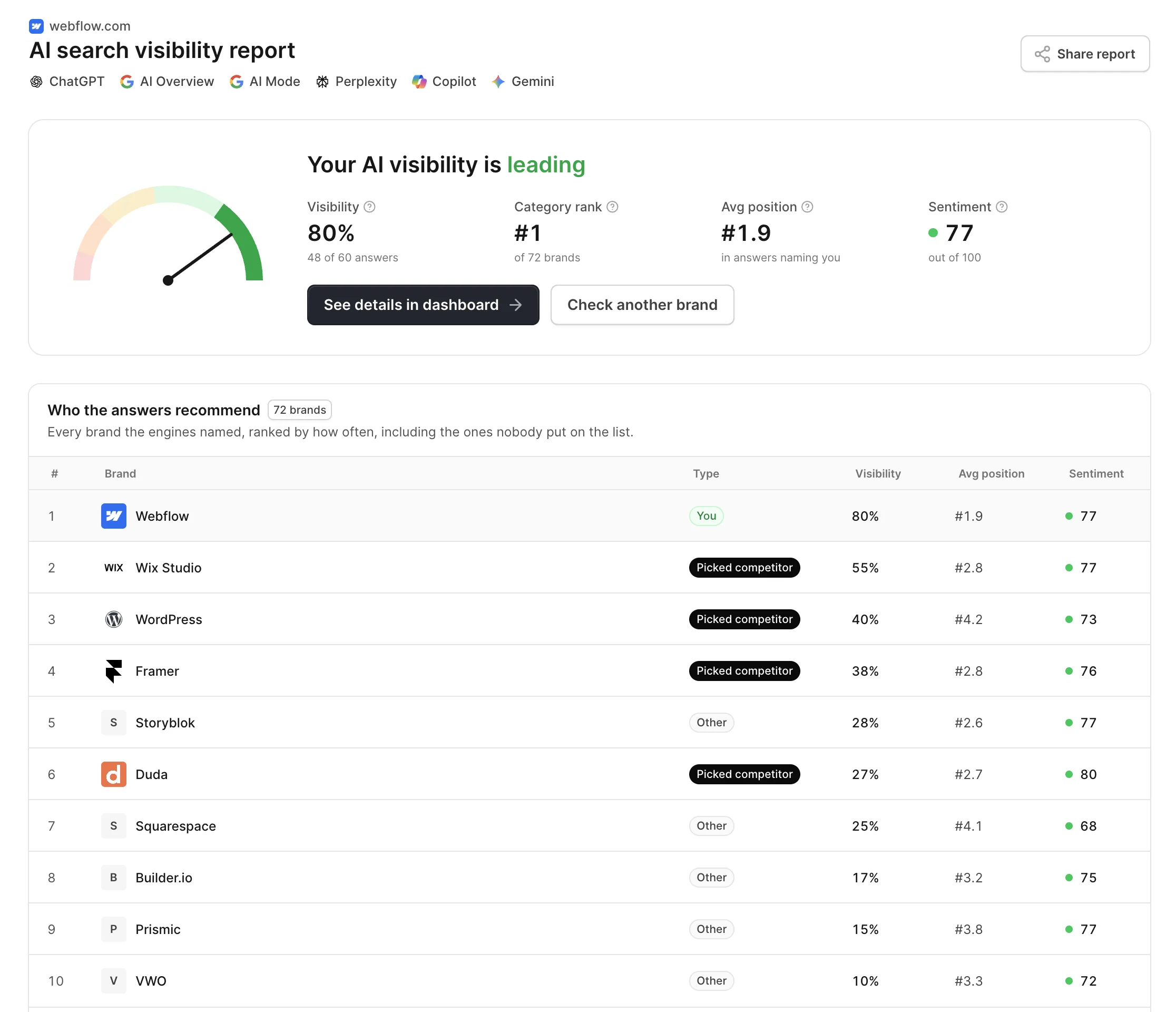
Each request runs on Microsoft Copilot. We read the reply for the brands it names and the Bing sources it cites, and email you the report.
- Free, no credit card.
- Report in minutes, link sent to your email.
What the Copilot check shows
One pass over Copilot's replies to your ten prompts, laid out as six readings.
Share of answers
How many of Copilot's replies mention your brand. The number to move.
Placement
Where you appear in the reply when Copilot mentions you: the lead pick or an afterthought.
Cited from your site
Whether Copilot's numbered sources include your pages, and which ones.
Brands Copilot favors
Who Copilot recommends in your category, ranked by how often each brand came up.
Bing sources behind it
Every page Copilot cited from Bing, and which brand each page argued for.
Where you are missing
The prompts where Copilot named competitors and skipped you, ready to work through.
Bing Copilot SEO is not Google SEO
Most SEO work is measured against Google. Copilot answers from somewhere else.
Bing's index, not Google's
Copilot grounds its answers in Bing. A page Google ranks but Bing never indexed cannot be cited.
Cited inline, not ranked
Sources appear as numbered references inside the reply. One citation next to the right sentence is the win.
At the desk, not in a tab
Copilot is built into Windows, Edge and Microsoft 365, so buyers ask it mid-task, often without opening a search engine.
Model and search together
Replies mix what the model knows with what Bing returns. Both how you are described and what Bing finds matter.
How Copilot uses Bing to answer
For questions about products, prices or anything that changes, Copilot searches Bing, reads the results and writes a reply with numbered citations. What Bing cannot surface, Copilot can only answer from what its model already knows.
- Bing has to index you
- Bingbot crawls separately from Google. Pages missing from Bing's index are invisible to Copilot's search, and many sites never check.
- Prompts become Bing queries
- Copilot turns a conversational request into searches. Pages that match the query underneath, not the exact wording, are the ones it reads.
- Updates reach Bing fast with IndexNow
- Bing supports IndexNow, which tells it about new and changed pages right away instead of waiting for the next crawl.
- Clear, trusted pages
- Pages with a direct answer, plain structure and backing from reputable reviews and comparisons are easier to cite.
How to get into Copilot's answers
Most of the work is making sure Bing sees what Google already does, then earning the mentions Copilot reads.
Work from the prompts you lose
The report lists where Copilot named competitors instead of you. Start with the prompts closest to a purchase.
Check your Bing coverage
Verify your site in Bing Webmaster Tools, submit a sitemap and confirm your key pages are indexed.
Turn on IndexNow
Ping Bing when pages change, so updated pricing and comparison pages reach Copilot in days, not weeks.
Get named on the sources
The Bing sources in your report are the pages Copilot trusts for your category. Mentions there change what it says.
Frequently asked questions
Copilot SEO is making your brand and pages likely to appear in Microsoft Copilot's answers. Because Copilot grounds its replies in Bing, it starts with being indexed and ranking in Bing, then adds what AI answers reward: direct answers on your pages, a clear description of who you serve, and mentions on the sites Copilot cites.
Yes, for any reply that involves a search. Copilot builds those answers from Bing results, so a page that is not indexed or does not rank for the underlying query is unlikely to be cited. You do not need the first position, but you do need to be in the set Bing returns. Replies that do not search draw on the model's knowledge instead.
Type your domain into the field above and confirm your email. Copilot gets ten buyer prompts written for your category, and a few minutes later the report shows your share of its answers, your placement, the Bing pages it cited and the competitors it preferred. Checking manually works too, but it means one prompt at a time in a fresh Copilot chat, with a spreadsheet next to it.
No. Copilot uses OpenAI models among others, but it is Microsoft's own product: it grounds answers in Bing, follows Microsoft's instructions and lives inside Windows, Edge and Microsoft 365. The same prompt often gets a different set of brands in each, which is why AskWatch checks them as separate engines.
It is not required, but it is the simplest way to see whether Bing has indexed your pages, submit a sitemap and fix crawl problems. Pair it with IndexNow so changes reach Bing quickly. If Bing does not have a page, Copilot's search cannot cite it.
Other free tools
- Open tool
AI Visibility Checker
Check if ChatGPT, Gemini, Perplexity and Google AI name your brand, and get your AI visibility score.
- Open tool
AI Overview Checker
See if Google AI Overviews cite your site, which of your pages they pick, and who is cited instead.
- Open tool
Perplexity Visibility Tracker
Track whether Perplexity cites your site and names your brand in its answers.
- Open tool
ChatGPT Visibility Tracker
See if ChatGPT mentions your brand and where you rank in its answers.
- Open tool
Gemini Visibility Tracker
Check if Google Gemini mentions your brand and who it names instead.
- Open tool
Google AI Mode Visibility Tracker
See if Google AI Mode names your brand and which pages it cites.
- Open tool
AI Visibility Chrome Extension
Check any site you open in one click: 28 checks of whether AI crawlers can read it and what buyers will find there.
- Open tool
llms.txt Generator
Write an llms.txt for any site from its sitemap and page descriptions. No model, no watermark, checked against the spec.
- Open tool
llms.txt Checker
See whether a site's llms.txt exists, follows the spec, has live links and is not blocked for AI crawlers.
- Open tool
robots.txt Generator
Create a robots.txt in a minute: block AI training, stay in AI search, add paths and your sitemap. Tested before you download it.
- Open tool
robots.txt Tester
Test any URL against robots.txt for Googlebot and 20+ AI crawlers, and find the line that decides each one.
- Open tool
AI Crawlers List
Every AI crawler with its user agent, IP list and robots.txt token, and whether your site lets each one in.
- Open tool
Google Search Console MCP
Ask Search Console in plain language from Claude, ChatGPT, Cursor or Claude Code. No Google Cloud project.
Check your brand in Copilot for free
Enter your domain. Your report is ready in a few minutes.
- Free, no credit card.
- Report in minutes, link sent to your email.