Choose a plan
How AskWatch plans work, which Monitor size fits your prompts, who can choose a plan, and what happens after you pay.
Updated
On this page
A plan is what turns tracking on. Plans are sized in AI answers a month: one engine's reply to one prompt. Every plan includes all six engines, every report, and any number of websites, workspaces and people. There is no trial: your first brand check is free, and so are Audits and the MCP Server.
The plans
Monitor tracks your prompts and fills the dashboards. It comes in four sizes:
| Size | AI answers a month | Price | Past the allowance |
|---|---|---|---|
| 2.5K | 2,500 | $50 / mo | $0.025 an answer |
| 5K | 5,000 | $100 / mo | $0.025 an answer |
| 10K | 10,000 | $200 / mo | $0.025 an answer |
| 25K | 25,000 | $400 / mo | $0.02 an answer |
Autopilot adds agents that do the work, and Enterprise adds a growth manager, custom agents and models, SSO and annual invoicing. Both have custom limits and rates: choose Book a demo to talk to us. Agencies running AI visibility for clients have their own offer under For agencies.
Prices are in US dollars, before tax. Tax is added at checkout where it applies.
Which Monitor size you need
Multiply your tracked prompts by the engines and by the runs in a month:
- Daily: prompts × engines × about 30. 10 prompts on six engines is about 1,830 answers, so Monitor 2.5K holds it.
- Weekly: prompts × engines × about 4.3. 50 prompts on six engines is about 1,300 answers.
You do not have to get it exactly right. Answers past the allowance can be paid from your balance, and you can move to another size at any time. When you set up tracking without a plan, the card estimates the answers a month and names the size that holds them.
Choose a plan
The plans open from Choose a plan in several places: the banner over the demo dashboards, the No plan yet card at the bottom of the sidebar, the tracking card and Settings → Billing.
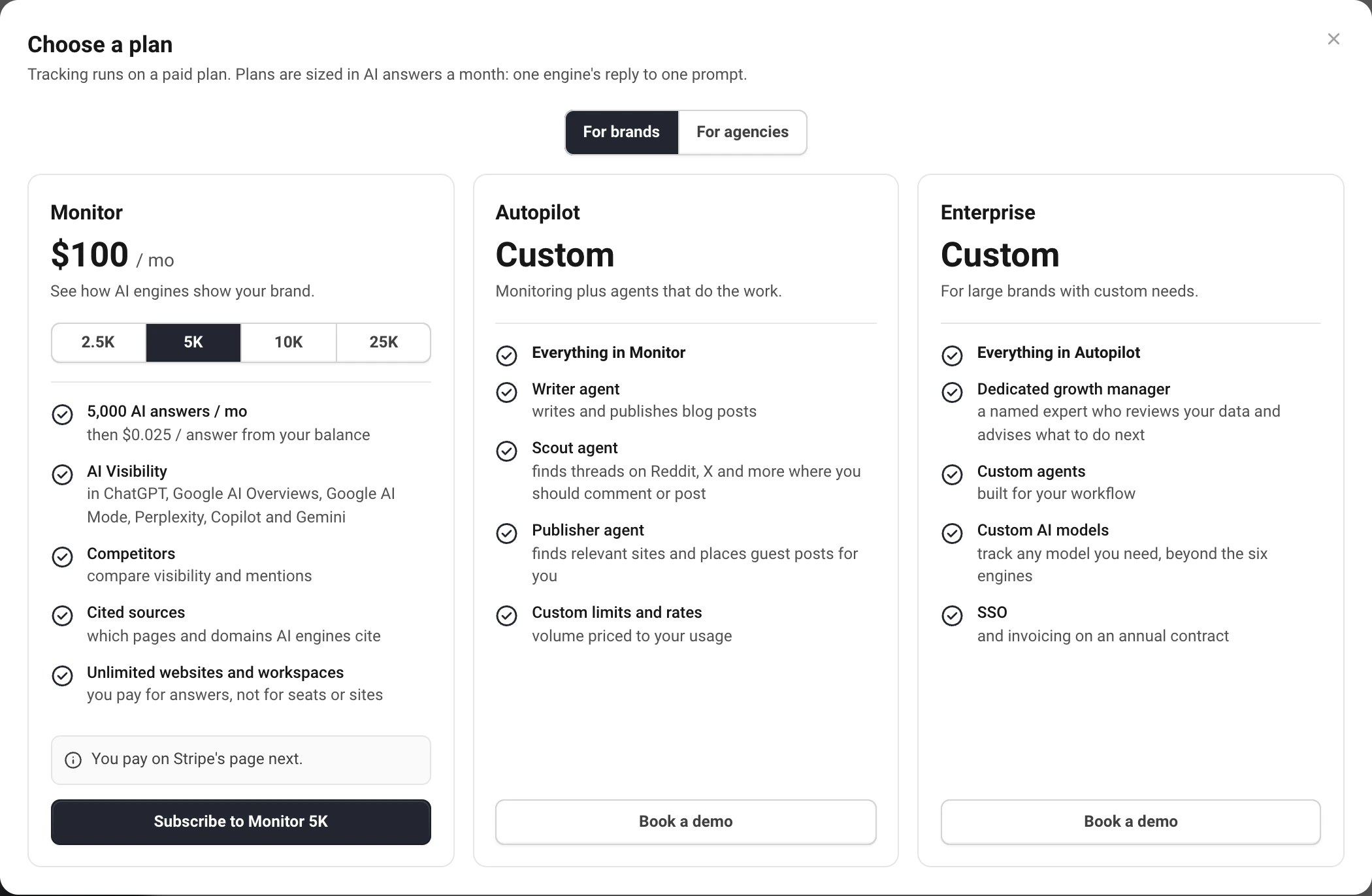
- Pick a Monitor size and choose Subscribe to Monitor.
- Pay on Stripe's secure page. Add a VAT ID there if you buy as a business.
- Back in AskWatch, the plan is on at once. If you came from a project that is not tracked yet, the page offers to start tracking it right there; a project still being set up goes back to its last step.
Only the owner of the organization and people with the Billing role can choose or change the plan. Everyone else sees a note to ask the owner. See Team access, roles and permissions.
When your allowance renews
The plan renews monthly on the day you subscribed, and so does the allowance. Answers you did not use do not carry over. A plan started on the 31st renews on the last day of shorter months.
For what happens when the answers run out, see AI answers, balance and overage.
Still have a question?
Write to hello@askwatch.ai. A person answers.