AI answers, balance and overage
How your plan's answers are used, what happens when they run out, and how the balance, overage and automatic top-ups keep tracking running.
Updated
On this page
Your plan includes a number of AI answers each billing period. When a period's answers run out, tracking can either pause until the next period or carry on, paid from a prepaid balance. This article covers how that works and where to set it.
This period
Settings → Billing shows the current period under This period: its dates, how many answers have been used out of the allowance, and how many are left. An answer is one engine's reply to one prompt on one run, and only answers that arrive are counted. The allowance renews monthly on the day you subscribed.
Before you change a project's tracking, the ring on its tracking card shows what that setup will need for the rest of the period. See Turn on tracking.
When the answers run out
A run is asked whole or not at all, so a project is never half tracked on a day.
- While any allowance is left, the next run still goes, even if it crosses the line.
- After that, a run starts only if your balance can pay for all of it at your plan's rate, with overage on and within your cap.
- Otherwise tracking pauses for every project of the organization until the period renews. Billing shows Tracking is paused and why, and tracking starts again by itself as soon as the reason is gone.
The owner, admins and Billing get an email when the organization has used 80%, 90% and 100% of its answers, with the date they are likely to run out.
The balance and overage
The balance is money you add in advance for answers past your allowance. It does not expire. Top-ups are not refunded, and the balance stays on the account if the plan ends.
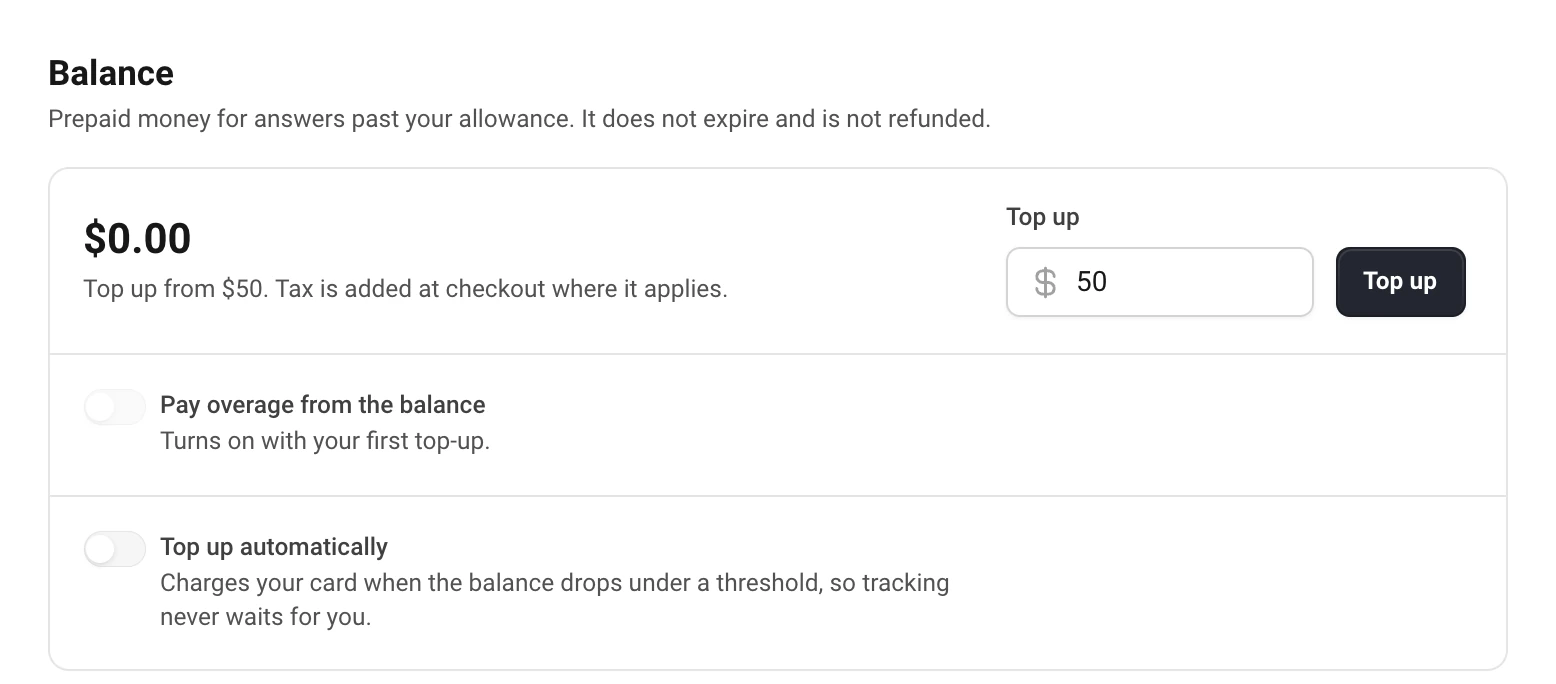
- In Settings → Billing → Balance, enter an amount (from $50) and choose Top up.
- Pay on Stripe's page. Tax is added there where it applies; the balance gets the amount before tax.
Pay overage from the balance turns on with your first top-up. Past the allowance, answers are then paid from the balance at your plan's rate ($0.025 an answer on most Monitor sizes, $0.02 on 25K). Turn it off, and tracking pauses when the allowance is used up instead.
Cap per period limits what one period can spend from the balance. A run that would go past it waits until the next period.
Automatic top-ups
Top up automatically charges your card when the balance drops under a threshold, so tracking never waits for you. Set When under (for example $20) and Add (from $50), and choose Save.
The balance is checked every 10 minutes. It needs a card on file: top up once, or add a card in Billing first. If a charge is declined, we try again after 24 hours and email the owner, admins and Billing.
When a setup needs more than your plan
If tracking would need more answers than the plan includes, the tracking card says so before you save: how many answers go past the plan, and whether your balance covers them. It offers Top up balance, Turn on overage or Upgrade plan.
If you expect to go past the allowance every month, a bigger Monitor size is cheaper than overage. See Change, downgrade or cancel your plan.
Still have a question?
Write to hello@askwatch.ai. A person answers.