Add, suggest and group prompts
How to add your own prompts, have AskWatch suggest new ones, sort them into groups, and pause, edit or remove them.
Updated
On this page
Prompts are the questions AskWatch asks AI engines on every run, the way a buyer would ask them. The reports are only as good as the prompts, so this article covers where they live, how to add and suggest them, and how to keep them organised.
Where prompts live
Open Settings → Projects, pick the project and open its Prompts tab. Settings → Manage prompts opens the same tab with a project picker on top, one click from anywhere; the Manage prompts button on the Prompts dashboard leads there too.
The tab starts with the tracking card (see Turn on tracking), and below it the prompts table.
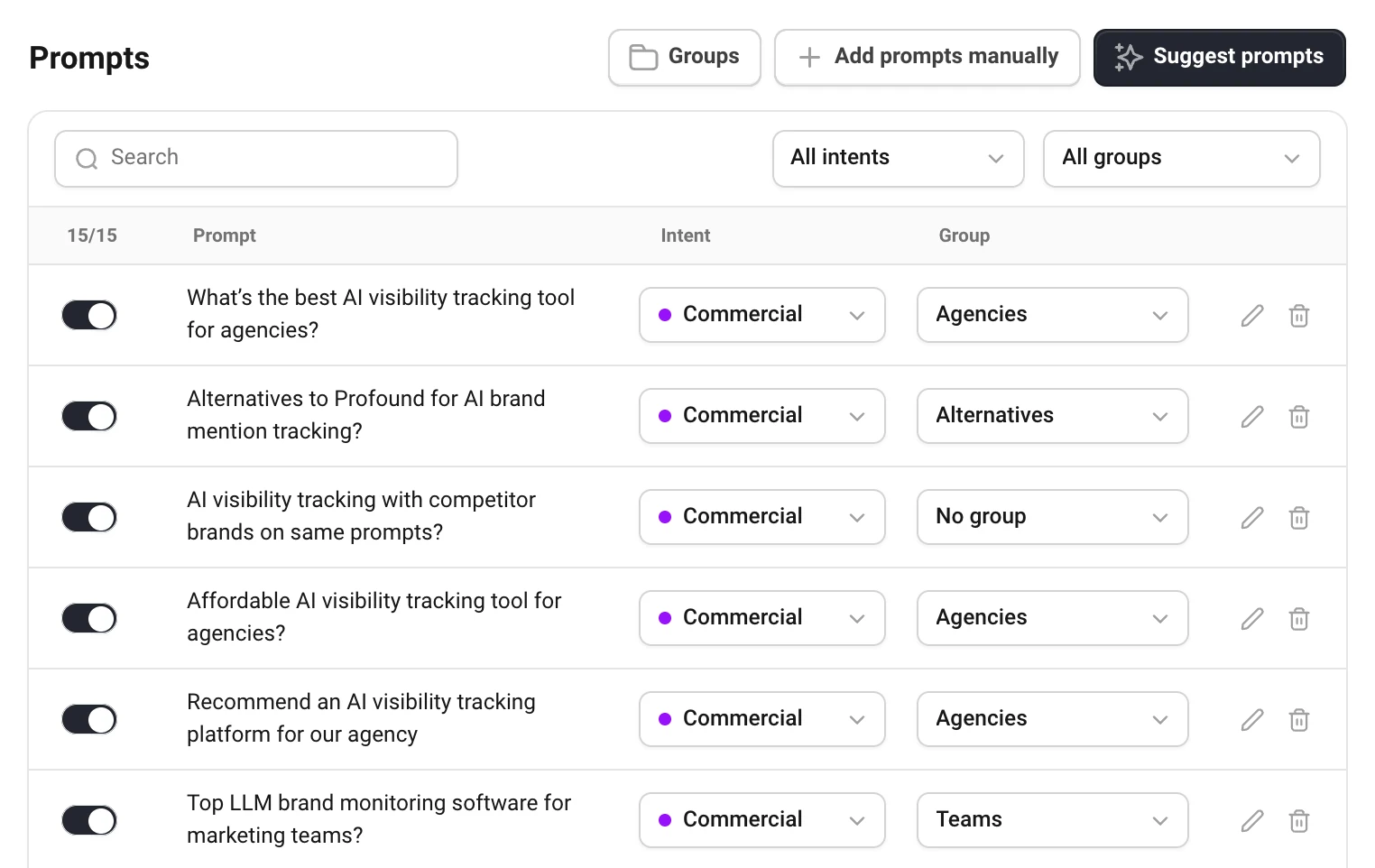
- The toggle pauses a prompt or tracks it again. Only tracked prompts are asked, so only they count towards your answers.
- Intent is what the buyer is after: Informational, Commercial, Transactional or Navigational. Group is yours to define. Change either from the menu in the row; it is saved at once.
- Search and the intent and group filters narrow the table. When a project has prompts in several languages, a Lang column appears.
Editors and admins change prompts. Viewers see the table without the controls.
Add your own prompts
- Choose Add prompts manually.
- Write one prompt a line, the way a buyer would ask an AI assistant.
- Set the Intent, Group and Language for the batch, and choose Add.
Prompts the project already tracks are skipped, whatever their capitals. A project tracks up to 200 prompts, and a prompt is at most 500 characters.
Have AskWatch suggest prompts
Suggest prompts writes new buying questions for your business. Choose how many (10, 20, 30 or 50) and the language, then Suggest N prompts. It takes about half a minute.
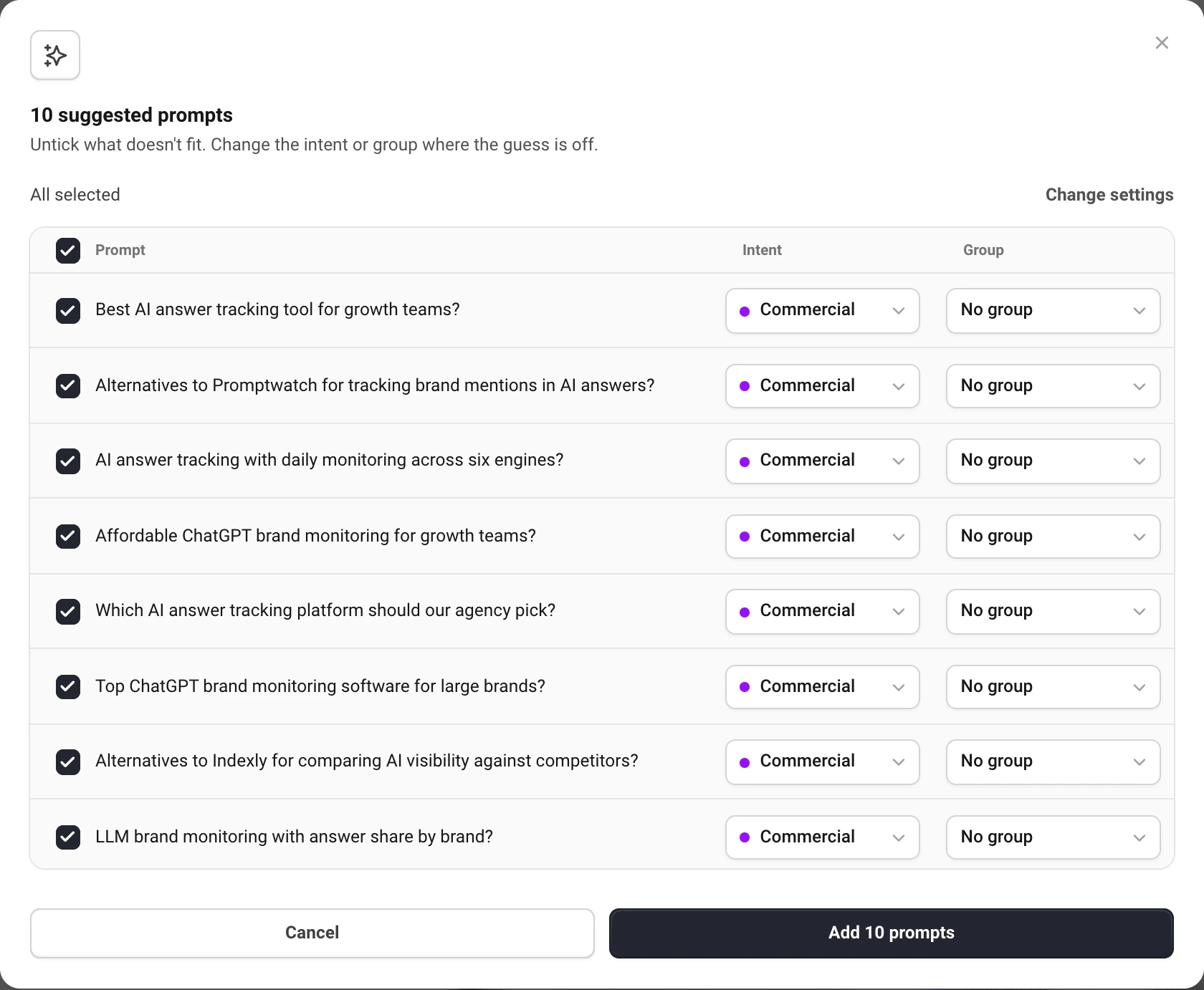
Untick what does not fit, fix the intent or group where the guess is off, and choose Add N prompts. Closing the window throws the list away.
Suggestions are written to be different from what you already track in that language, without your own brand name and with only a few naming competitors. A country or city goes into a prompt only if your business profile says you work there. A new language gets its own best questions, even if they repeat your English ones: it is a new market.
You can ask for suggestions 15 times a day per project and 40 times a day per person.
The business profile
Suggestions are written from the project's business profile: what the business is, what it sells, who buys it and in which market. It is on the project's General tab. Your first project fills it from your first check, and a new project from reading the site.
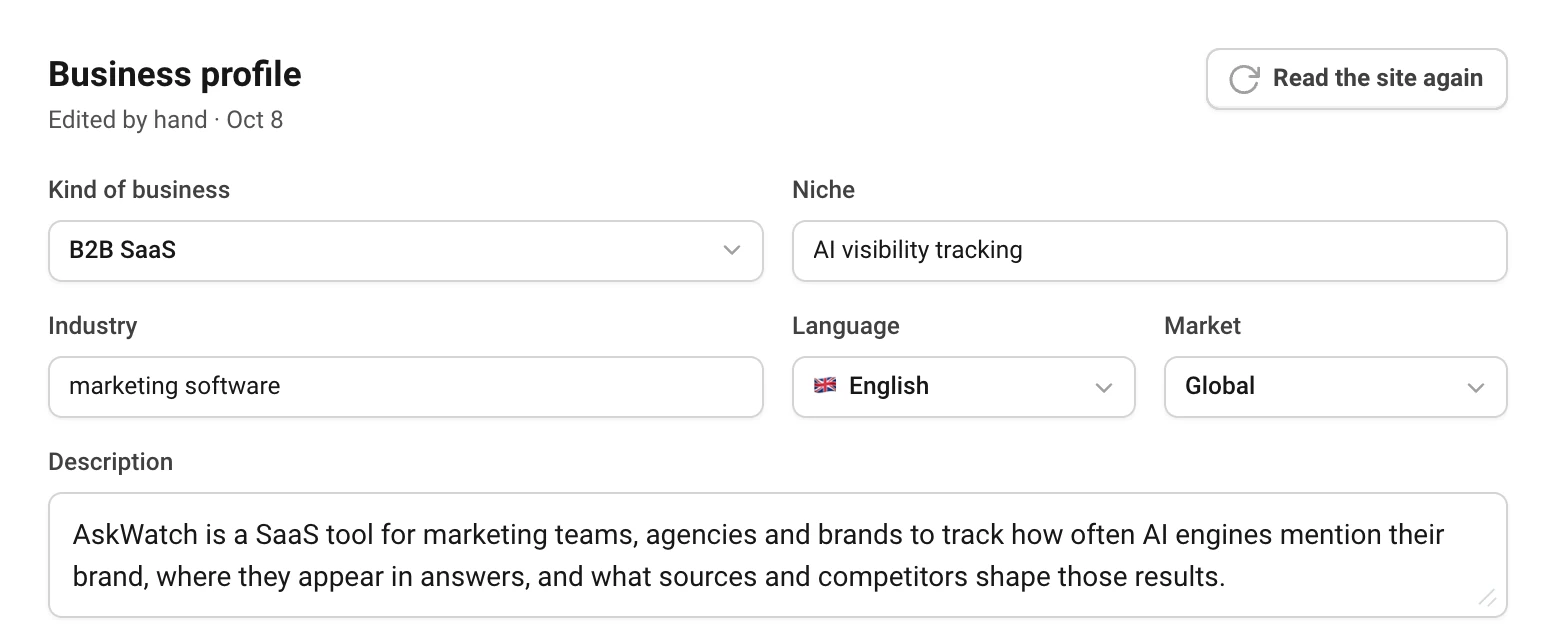
Edit any field and choose Save profile, or Read the site again to refill it from the site (up to five times a day). The profile's language is the default for new prompts, and the language tracking asks the engines in.
Group prompts
Groups sort prompts any way that helps you read the reports: by service, feature, market or language. Every dashboard can then be filtered to one group.
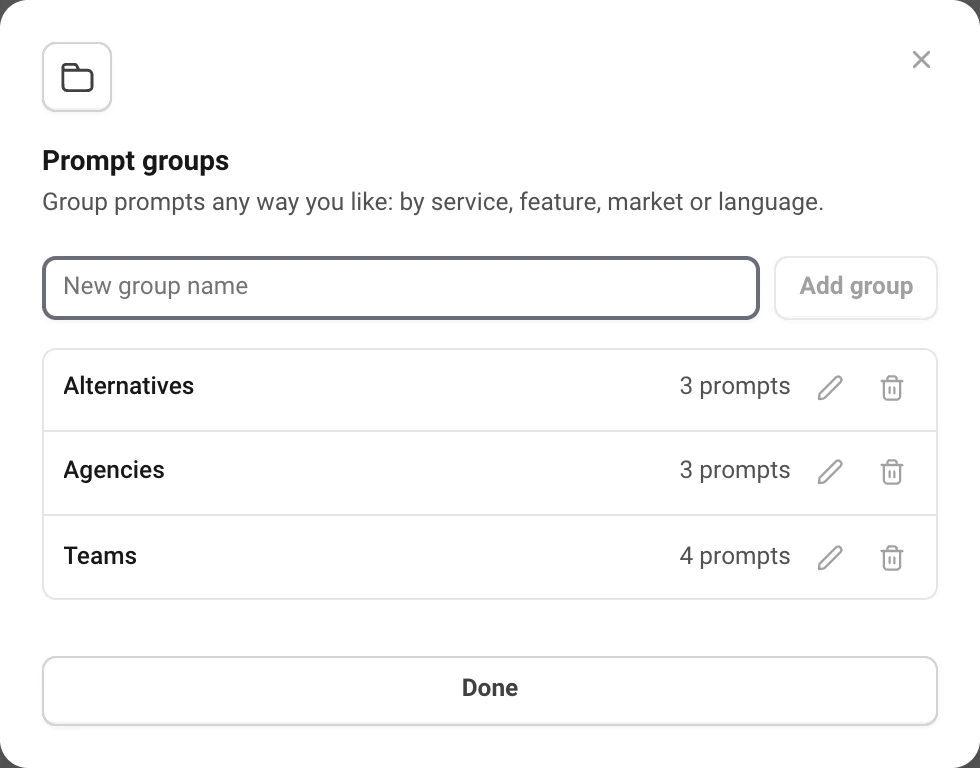
- Choose Groups to add, rename or remove groups. Removing a group keeps its prompts, without a group.
- Put a prompt in a group from the Group menu in its row, or set the group for a whole batch when you add prompts.
A project has up to 50 groups.
Edit, pause and remove prompts
- Edit (the pencil) changes the text. Answers already collected keep the text they were asked with, and the prompt shows an edited tag.
- Pause with the toggle when you want to stop asking a prompt for a while but keep it on the list.
- Remove (the trash icon) stops asking it. The answers already collected stay in the history.
Still have a question?
Write to hello@askwatch.ai. A person answers.